



Export answers for sharing
You can share the content of an answer pane, including Deep Analysis answers, or an entire conversation by exporting it as a PDF. You can also download the table data in the answer as a XLSX file.
-
Click one of the following icons depending on what you want to share:
-
To share an answer, click the Export answer icon in row of icons at the bottom of the answer.
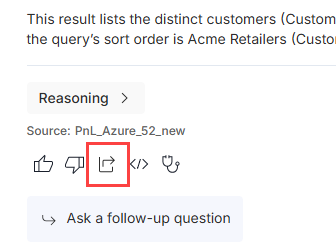
- This export includes the response summary, the table, and the chart (if available) for the answer.
- For single breakdown Deep Analysis answers, the export includes only the response summary.
- For full Deep Analysis answers, the export includes only the response summary.
-
To share a conversation, click the Export conversation icon at the top right corner of the conversation pane.

- Each question and answer in the conversation is on a separate page in the PDF export.
- Any answers for single breakdown Deep Analysis questions in the conversation include only the response summary in the PDF export.
- Any answers for full Deep Analysis questions in the conversation include only the response summary in the PDF export.
-
To share a Deep Analysis answer, click the Export Analysis icon at the top right corner of the answer pane.
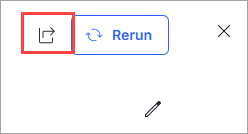
The PDF includes a title page, the analysis summary on a separate page, and each breakdown question on a separate page.
-
-
After you click one of the above elements, a dialog box appears in which you can select whether or not to include the data in the answer as a XLSX file along with the PDF export.
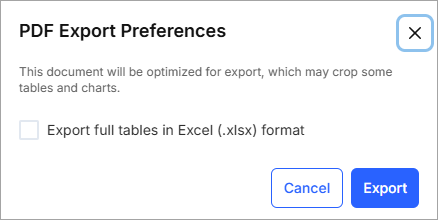
- For Deep Analysis questions, the table data for each breakdown question appears on a separate sheet with the breakdown question as the title of the sheet.
- For full conversations, the table data for each question appears on a separate sheet with the question as the title of the sheet.
-
You can find both the PDF and XLSX files in your download folder on your local machine. A preview of the PDF opens automatically when you click the Export button in the dialog box, and once the preview finishes generating, the download of the PDF (and Excel spreadsheet) automatically open in your browser.
Note: Your browser may prompt you to allow multiple downloads. You must allow this in order to download both the PDF and XLSX files together. If you do not allow multiple downloads, only the PDF will be downloaded.