



Release notes
hila v5.0-r2 release notes
New features in hila v5.0-r2
-
Export answers and conversations for sharing
You can now export the content of an answer pane, including Deep Analysis answers, or an entire conversation as a PDF. You can also download the data in the answer as a XLSX file. For more information, see Export answers for sharing.
-
Configure the Grand Total feature
The Grand Total feature has added nuance for you to configure when to exclude columns or entire tables from having a Grand Total calculated for them. For more information, see Manage Grand Totals.
-
Users with the BusinessAnalyst role no longer see the data source list on the left nav bar as auto-select is fully enabled for them. For more about roles, see Users, roles, and permissions.
hila v5.0-r1 release notes
New features in hila v5.0-r1
-
Seamless UI
Previously, out-of-scope questions resulted in an error. Now, hila routes out-of-scope questions to Deep Analysis as a single-breakdown question to provide an answer.
Routing the question to Deep Analysis usually takes longer to answer the question, but hila shows the following message to alert you of this:

hila v4.3-r2 release notes
New features in hila v4.3-r2
-
Print preview is now available for executive highlights.
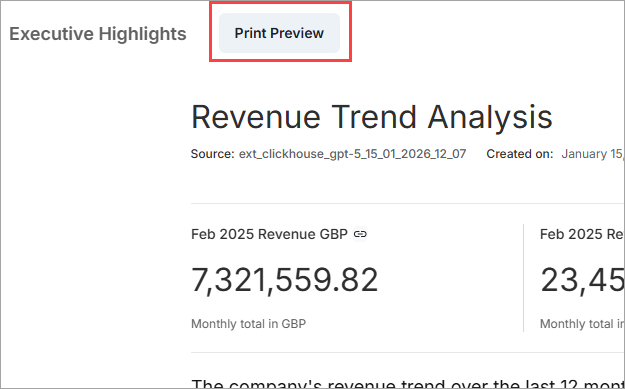
See Print executive highlights for more information.
-
A select/deselect all checkbox is available on the data sources list when auto-select is toggled off.
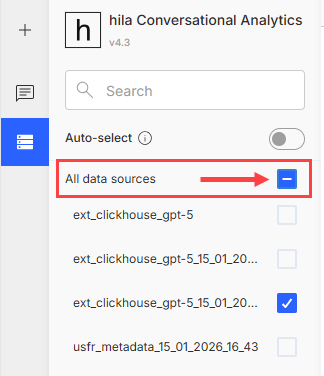
See Select data sources for more information.
-
Suggested questions are now provided for all responses, even errors.
-
Response errors no longer have a red border in the UI.