



Home
About Conversational Analytics
User docs for Conversational Analytics
General docs
Admin docs for hila Conversational Analytics (hCA)
hila system support
hila feature support
Developer docs for Conversational Analytics
hila explanation of reasoning
hila provides multiple ways for you to understand the reasoning behind its decisions, depending on your user role.
Explanation of reasoning for all users
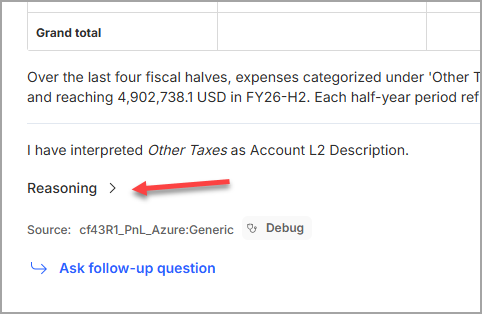
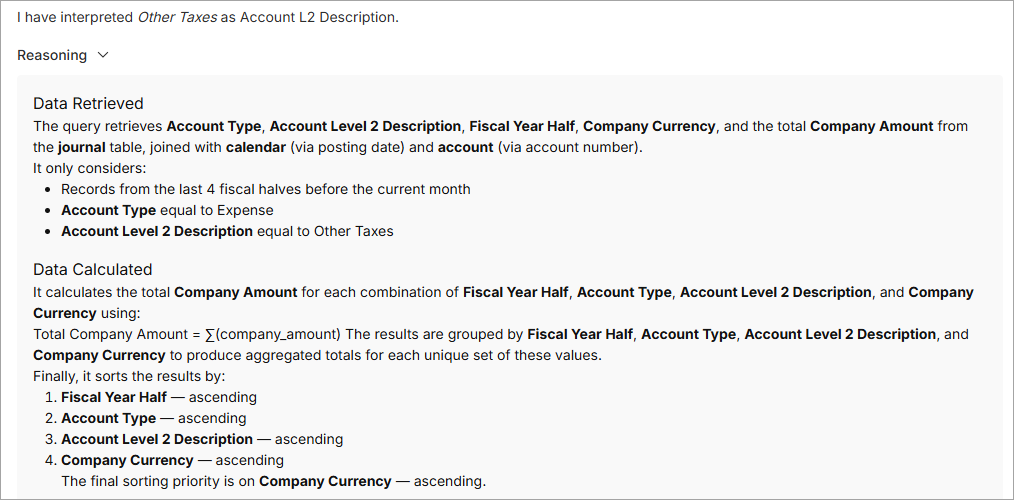
For all users, part of an answer to a query includes a collapsible section called Reasoning that includes a brief explanation of the reasoning steps it took to arrive at the answer.
View SQL code for power users
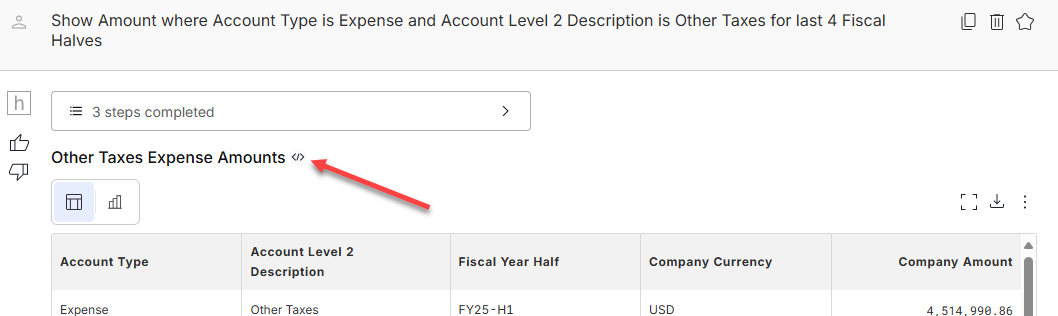
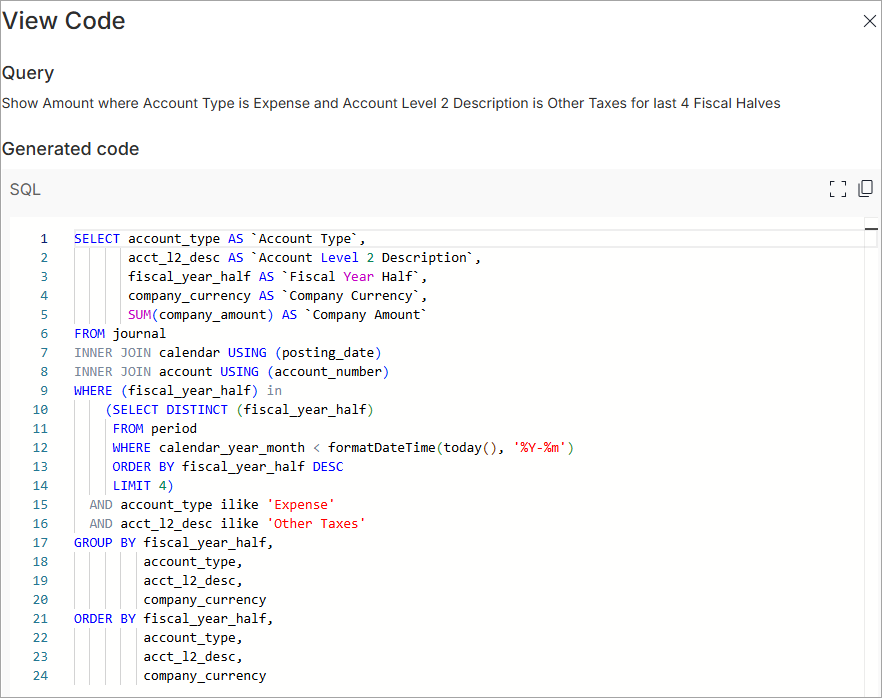
For power users, an icon appears next to the table/chart title of the query that links to a View Code page where you can see the SQL hila generated for that query.
You can use this information to verify that hila generated the SQL you expected, and to help troubleshoot any issues with the query.
## Full debug information for admins
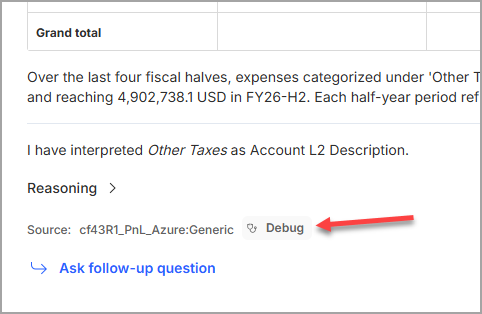
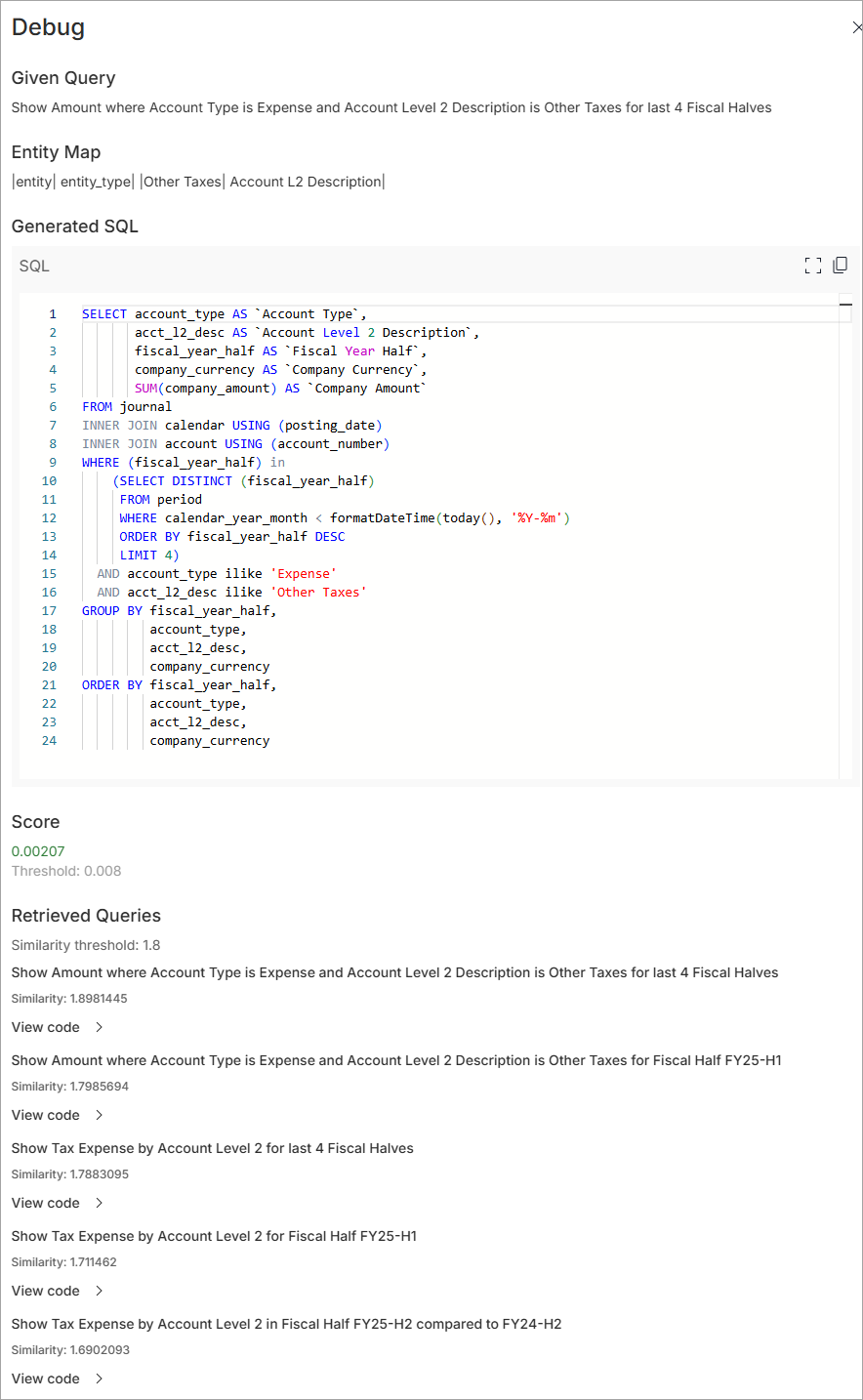
For admin users, a **Debug** button appears next to the source of the data used in the answer. Clicking this button opens a window that shows detailed information about how hila processed the data from that source, including the query, entity mapping, SQL, similarity score (shows how closely the data matches the query), and a list of queries it retrieved to answer the question. This information is useful for troubleshooting and understanding the inner workings of hila.
> 
> 
ON THIS PAGE