



Vianai Command Line Interface (vianctl)
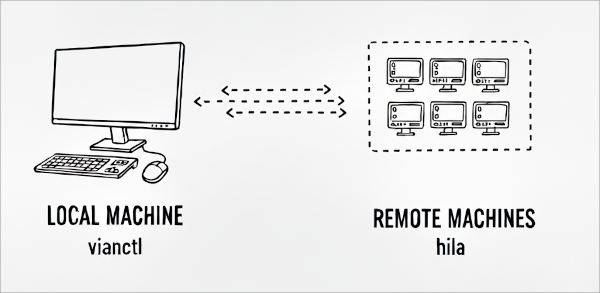
The hila CLI, vianctl is a command line interface that you can run from a local machine to manage and use instances of hila on remote machines.
Install vianctl
To install vianctl, run the following commands.
wget --content-disposition --header "x-api-key:<YOUR_API_KEY>" "https://webservices.launchpad.vianai.site/v1/sdk"
pip install <VIANOPS_CLIENT_version*.whl> --break-system-packages
export PATH=/home/<USERNAME>/.local/bin:.:$PATH
Add stack to verify installation
- Add stack —
vianctl config add-stack <stack name> <stack WEBSERVICES URL>- The URL must be in the format of
https://webservices.<DOMAIN_NAME>
- The URL must be in the format of
- Get stacks —
vianctl config get-stacks - Use stack — select the stack to use with
vianctl config use-stack <stack name>
Authorize vianctl
Run the following command, giving your username and password when prompted. If successful, the token is saved internally and subsequent commands use it.
vianctl auth login
Note: If you set your env variables VIANAI_USER and VIANAI_PASSWORD to your username and password, the login command uses those values and does not prompt you.
Common vianctl tasks
Update vianctl
To update vianctl to the latest version, you need to uninstall the current version and then install the new version.
-
Uninstall vianctl —
pip uninstall <VIANOPS_CLIENT_whl_FILE> --break-system-packages -
Re-run the install command given above.
Create a user api key
To create a user API key, run the following command:
vianctl apikey create --name <name for the key>
                      --amount <how long to keep the key valid>
                      --units <seconds | minutes | hours | days | weeks>
The response is an object that includes an api_key field. This is the key you can use to authenticate with the Vianai web services.
Extract example scripts
Use this code to extract example scripts to your current directory:
vianctl examples extract --target-dir <directory to extract to>